Showing posts with label Sony Xperia. Show all posts
[App] Battery Alert | Get notified when battery gets charged fully.
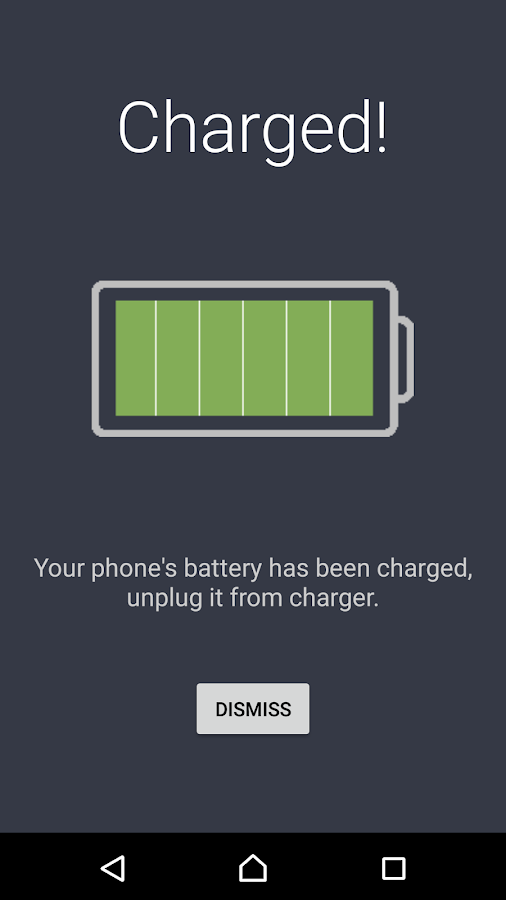
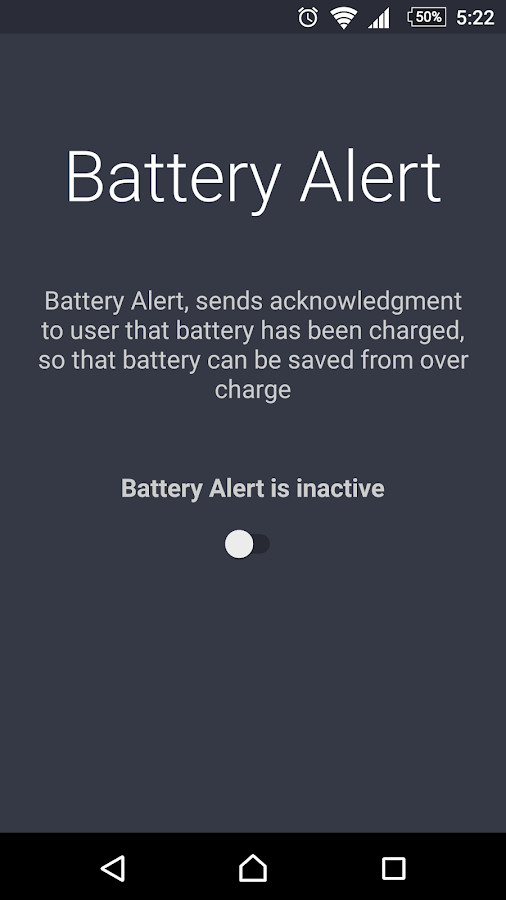
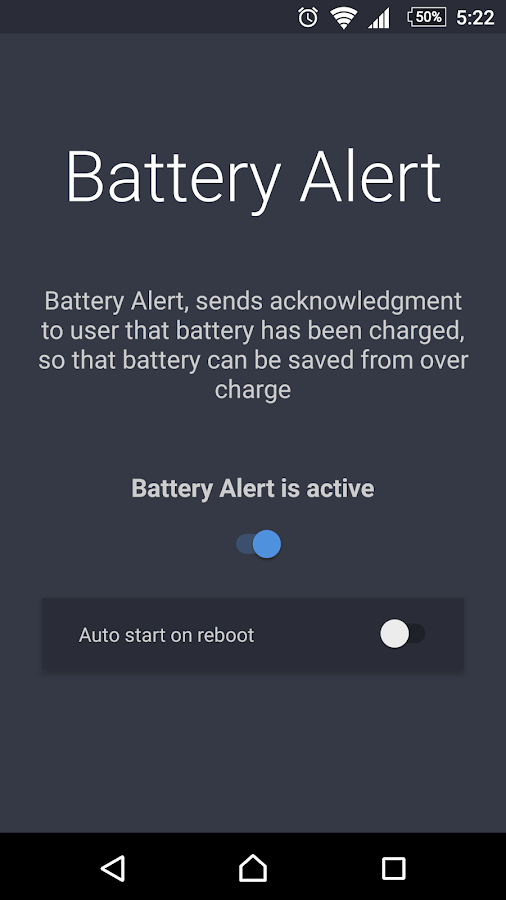
Battery Alert sends acknowledgment to user when battery gets charged fully and hence saves battery from damage.
Also it helps to get notification that the battery has been charged, we don't need to check the status again and again.
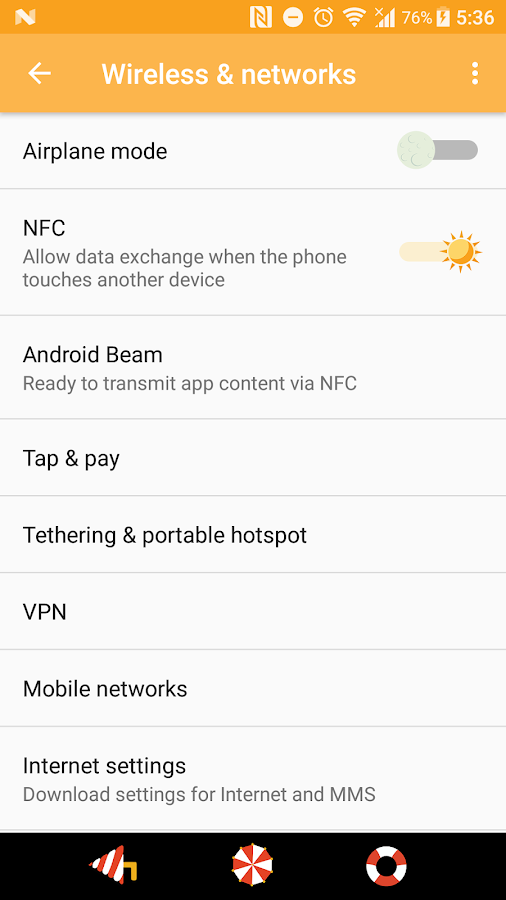
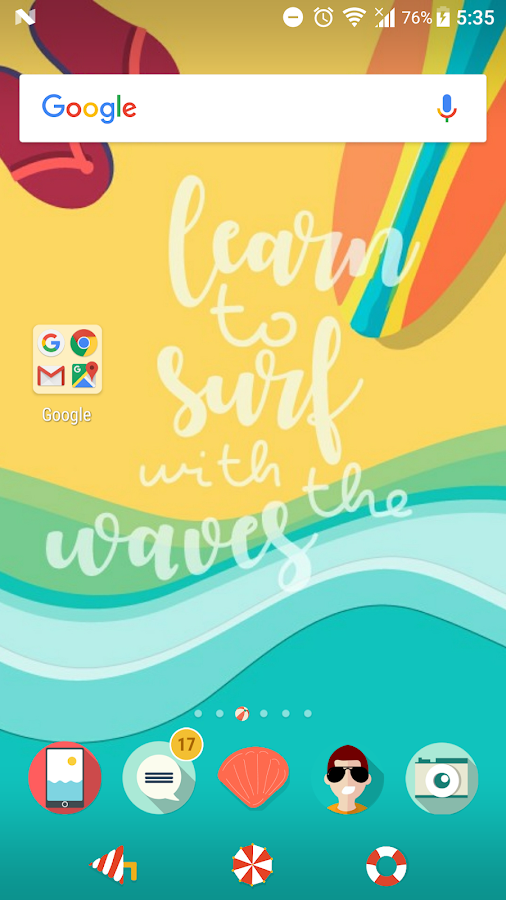
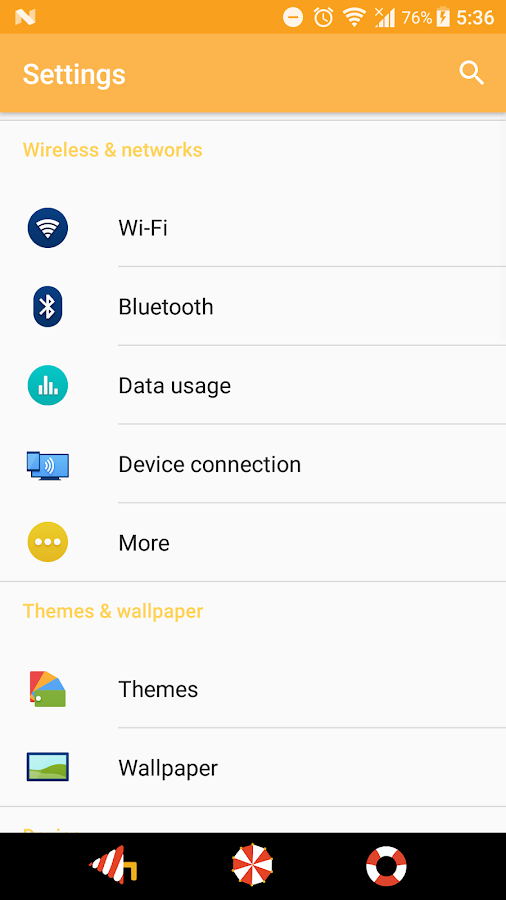
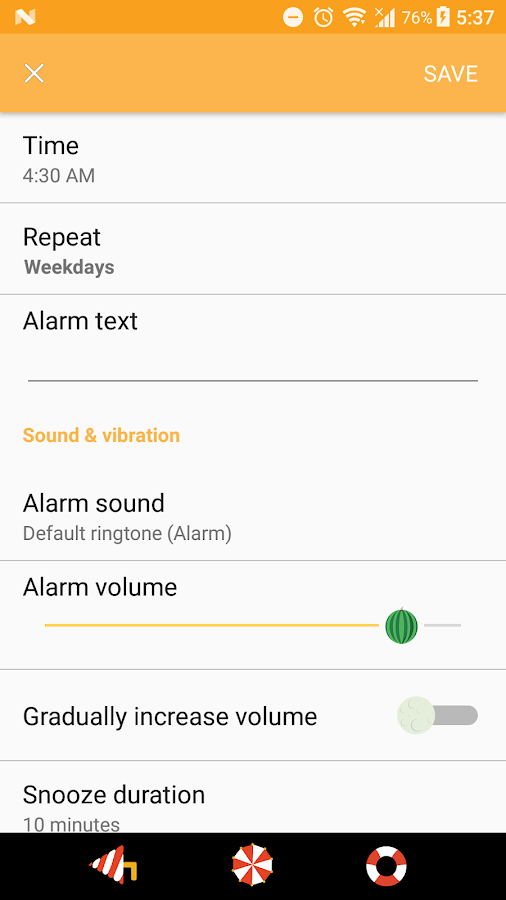
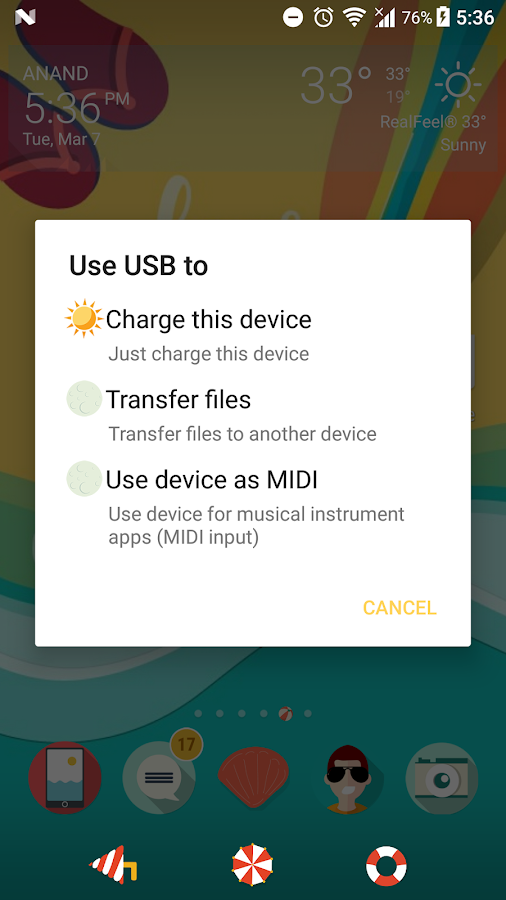
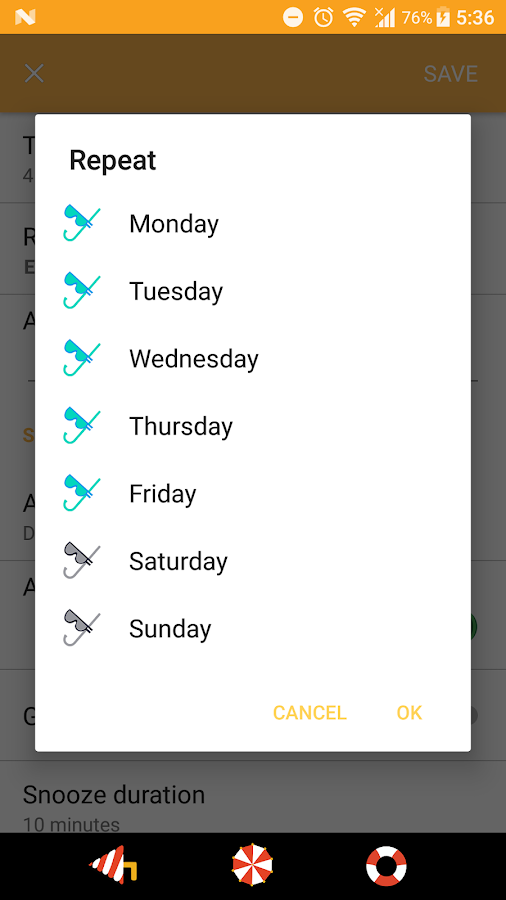
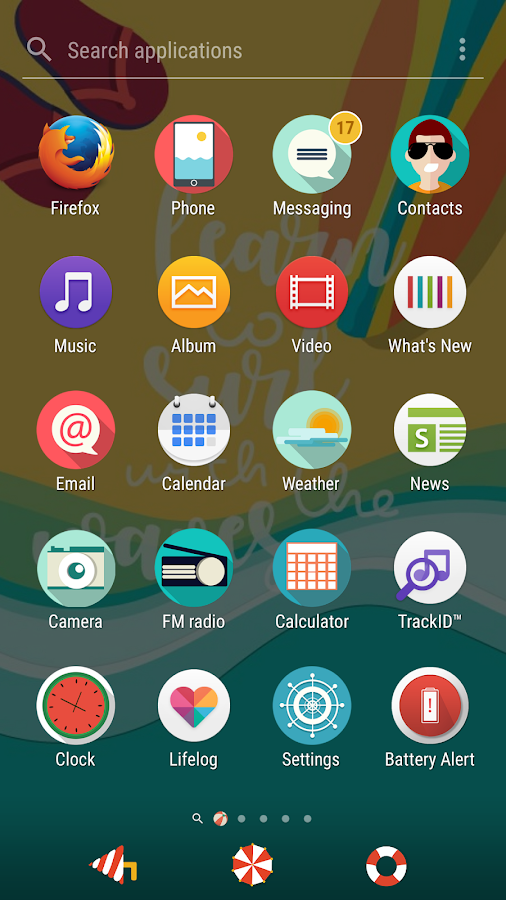
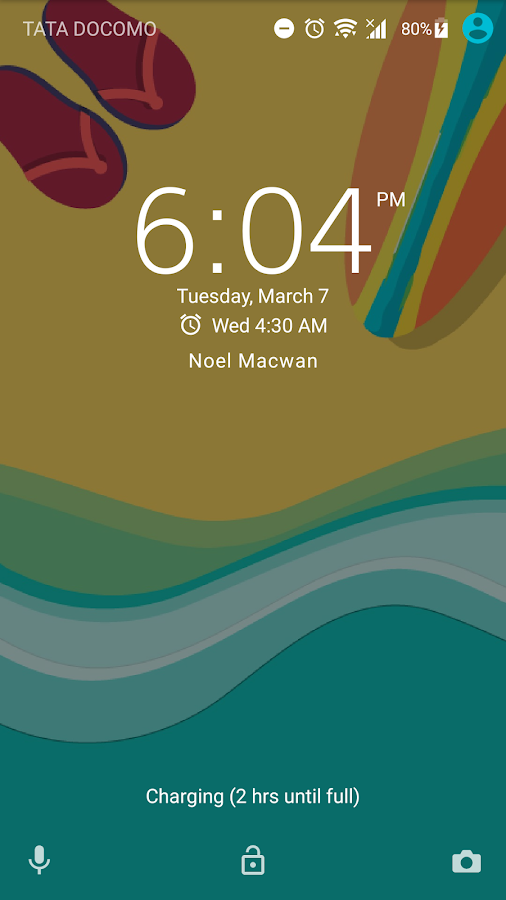
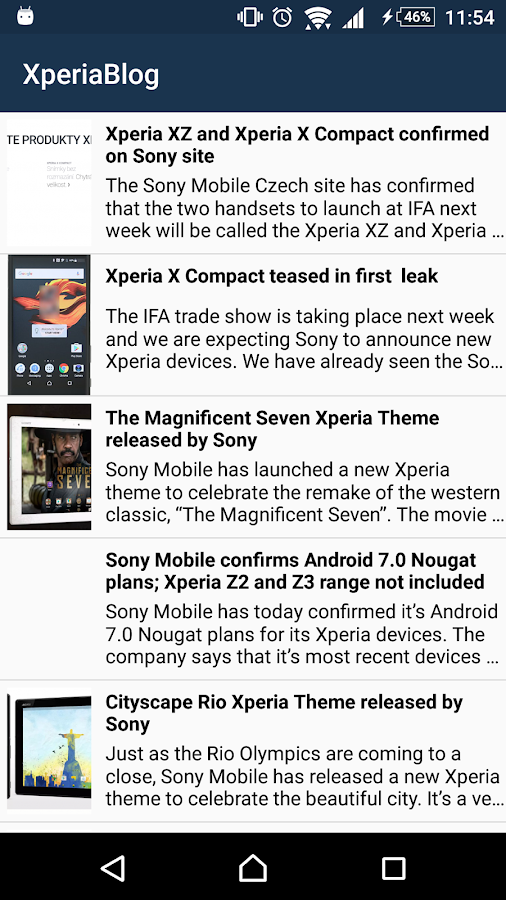
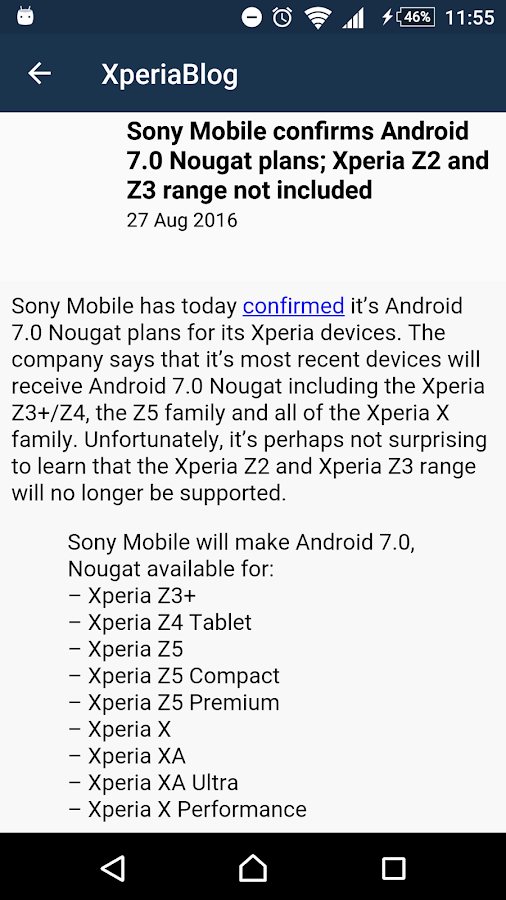
Screenshot:
Download:
Disclaimer:
* Sony, SONY logo are trademarks or registered trademarks of Sony Corporation
* XPERIA logo, Xperia are trademarks or registered trademarks of Sony Mobile Communications -Inc.
* All Pictures shown are for illustration purpose only.
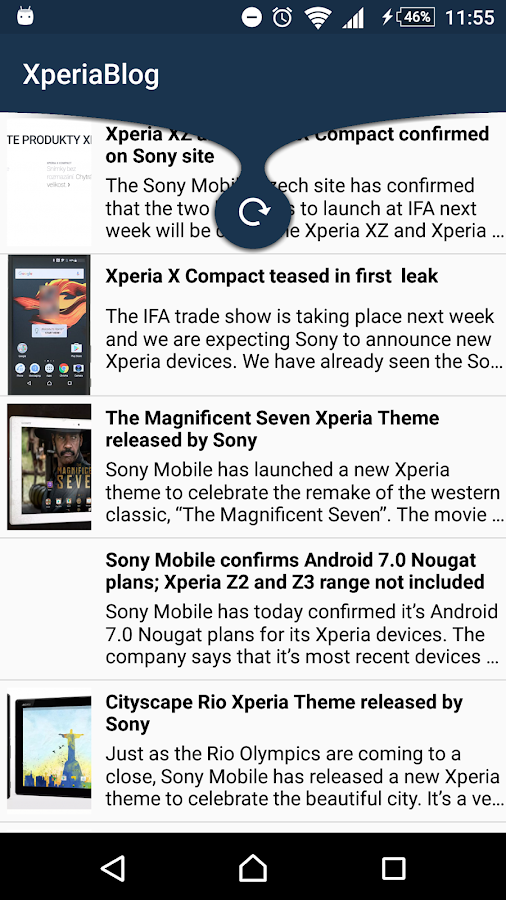
Newsfeed App for XperiaBlog
XperiaBlog.net is a completely INDEPENDENT and UNOFFICIAL website dedicated to Sony Xperia products which shares news regarding Xperia devices.
Screenshots:
Download: Click here !
[FTF] Xperia Z3+ E6553 32.2.A.0.224 Customized IN
Changes:
Android 6.0.1
Security patch level, April 1
Messaging: stickers
Ultra STAMINA Mode and STAMINA Mode
New apps: Email, Xperia Tips
App Updates: Calendar, FM Radio
and many more
Screenshots:
Download: Click here!
[UBL] SXDNickiMallow Hybrid Kernel for Xperia M
Hey
! ,Im presenting you custom kernel for
Xperia M running on CyanogenMOD/ CyanogenMOD 13 based ROMs and AOSP/AOSP 6.0 Based ROMs
Disclaimer:
You are doing all the stuffs on your own,
If you messed with your device , im not taking any responsibility of it !
Requirements:
You must be using CyanogenMOD/ CyanogenMOD 13 based /AOSP/AOSP 6.0 Based ROM
Flashtool
Unlocked bootloader
Features:
Linaro GCC 4.9 Toolchain
XZ compression for lighter ZImage and faster boot
makefile optimizations for snapdragon SoC's
Use -mcpu=cortex-a15 when targeting MSM Krait CPUs
~ Linux Kernel 3.4.4
~ USB Fast Charge
~ Smooth Scrolling Table
~ Intelligent Hotplug
~ CPU frequency limiter
~ Frandom
~ Enabled ZCache by default
~ Dynamic management of dirty page writebacks
~ Dynamic Fsync 2.0
~ Optimized ARM RWSEM algorithm
- Optimizations to default SLUB allocator
- Asynchronous I/O latency to a solid-state disk greatly increased
-Lock initial TCP window size to 64k (Improves network ping and output)
~ ARM Optimized AES and SHA1 Routines
~ ARCH Power
~ Mount Noatime And Nodriatime by Default
~ MSM ARCH cpufreq Turbo Boost Driver
~ Intelli Thermal Driver
~ Improved 3x faster integer sqrt
- XZ compression for lighter zimage and faster boot
~ 1.78 GHz CPU OC
~ 500 MHz GPU OC
~ GPU Optimized flag
~ Disabled Gentle Fair Sleepers
- Added zSwap from Linux 3.11
- Added frontswap
- Added vnswap - a virtual swap page file residing the RAM memory pool.
~ Intelligent hotplug cpu driver with eco mode (intelliplug)
~ Added native Samsung F2FS filesystem support
~ Linux MM Readahead set to 256k
~ Added various minor kernel bug fixes from CAF/kernel.org
~ More accurate load calculations (better battery/performance)
~ Added mutex optimization (better multi-tasking)
~ Scheduler optimization (smoother multi-tasking)
~ Patches to reduce kernel latencies for network, fs
~ Crypto lib optimization
~ Increased MM heap size for smooth streaming
~ Forced 500Ma charging current on unknown chargers
~ Added support to play 1080p videos
~ Screen Wake Control :-
Double Tap to Wake
And Manymore
Governors :-
~ Intellidemand
I/O Schedulers :-
~ BFQ
Downloads:
R1:- Download !!
Instructions:
Make sure its unlocked bootloader
Power off your device
Boot into CWM
and flash the kernel
See log , if its succesfully flashed , Reboot it
Enjoy !
Credits:
Me for worksarounds :P finding out commits from corners and compiling haha
Sony for device and source
RonGokhale, varun chitre, faux123, thirdzcee, ngxson, DooMLoRD and all our great Xperia Devs
Having problems ? Join SXDevelopers Facebook group !
Please consider donating me if you like my work and want me to continue it
my paypal email - nilpamacwan1972@gmail.com
Regards
Noel Macwan
Find me on :-
Facebook Twitter Google+
Disclaimer:
You are doing all the stuffs on your own,
If you messed with your device , im not taking any responsibility of it !
Requirements:
You must be using CyanogenMOD/ CyanogenMOD 13 based /AOSP/AOSP 6.0 Based ROM
Flashtool
Unlocked bootloader
Features:
Linaro GCC 4.9 Toolchain
XZ compression for lighter ZImage and faster boot
makefile optimizations for snapdragon SoC's
Use -mcpu=cortex-a15 when targeting MSM Krait CPUs
~ Linux Kernel 3.4.4
~ USB Fast Charge
~ Smooth Scrolling Table
~ Intelligent Hotplug
~ CPU frequency limiter
~ Frandom
~ Enabled ZCache by default
~ Dynamic management of dirty page writebacks
~ Dynamic Fsync 2.0
~ Optimized ARM RWSEM algorithm
- Optimizations to default SLUB allocator
- Asynchronous I/O latency to a solid-state disk greatly increased
-Lock initial TCP window size to 64k (Improves network ping and output)
~ ARM Optimized AES and SHA1 Routines
~ ARCH Power
~ Mount Noatime And Nodriatime by Default
~ MSM ARCH cpufreq Turbo Boost Driver
~ Intelli Thermal Driver
~ Improved 3x faster integer sqrt
- XZ compression for lighter zimage and faster boot
~ 1.78 GHz CPU OC
~ 500 MHz GPU OC
~ GPU Optimized flag
~ Disabled Gentle Fair Sleepers
- Added zSwap from Linux 3.11
- Added frontswap
- Added vnswap - a virtual swap page file residing the RAM memory pool.
~ Intelligent hotplug cpu driver with eco mode (intelliplug)
~ Added native Samsung F2FS filesystem support
~ Linux MM Readahead set to 256k
~ Added various minor kernel bug fixes from CAF/kernel.org
~ More accurate load calculations (better battery/performance)
~ Added mutex optimization (better multi-tasking)
~ Scheduler optimization (smoother multi-tasking)
~ Patches to reduce kernel latencies for network, fs
~ Crypto lib optimization
~ Increased MM heap size for smooth streaming
~ Forced 500Ma charging current on unknown chargers
~ Added support to play 1080p videos
~ Screen Wake Control :-
Double Tap to Wake
And Manymore
Governors :-
~ Intellidemand
I/O Schedulers :-
~ BFQ
Downloads:
R1:- Download !!
Instructions:
Make sure its unlocked bootloader
Power off your device
Boot into CWM
and flash the kernel
See log , if its succesfully flashed , Reboot it
Enjoy !
Credits:
Me for worksarounds :P finding out commits from corners and compiling haha
Sony for device and source
RonGokhale, varun chitre, faux123, thirdzcee, ngxson, DooMLoRD and all our great Xperia Devs
Having problems ? Join SXDevelopers Facebook group !
Please consider donating me if you like my work and want me to continue it
my paypal email - nilpamacwan1972@gmail.com
Regards
Noel Macwan
Find me on :-
Facebook Twitter Google+
[ROM][UB][5.1.1][UNOFFICIAL] SlimLP For Xperia M
SlimRom is a custom android operating system. The main goal is to offer users a slimmed down but still feature rich alternative to other android operating systems.
The entire SlimTeam work together to bring you this tailor-made beauty straight from Android Open Source Project (AOSP) source code.
All of the sources can be publicly viewed through GitHub and Gerrit.
Code:
/* #include <std_disclaimer.h> * * Your phone's warranty is now void. * This is a custom ROM developed by Warrior1208. * You are flashing this on your Samsung Galaxy SII(Intl) at your own peril. * I am not responsible for hard bricks, damages to SD Cards, thermonuclear war, * or you getting fired because the alarm app failed. * I would definitely help you out if you are stuck somewhere, provided that you give * me clear details of the mishap. * Don't ask for ETA's cause there is a thing called "LIFE" outside XDA. */
Features:
Android Lollipop
Slim Center
Slim Launcher
Slim File Manager
Slim Heads Up
The Real Dark Slim User Interface
SlimPIE (inspired by ParanoidAndroid's PIE with a light touch of Slim)
Smart Card Service
Adaptive Backlight
Adaptive Brightness
Smart Lock
Privacy Guard
Sounds Tweaks(Audio FX and Music FX)
Status Bar Tweaks
Battery Saver Mode
Removed Bloatwares
Notification Reminder/Snoozer
Drawer Shortcuts
Lockscreen Shortcuts
Custom Quick Settings Tiles
Improved Performance
Camera - True View
Camera - Smart Capture
and Much More!
Instructions:
Make sure its unlocked bootloader
Copy ROM to device
Power off your device
get boot.img from zip
Connect into fastboot mode (USB + Vol +)
FlashTool> Flash> Fastboot mode > Select kernel to flash
and browse the kernel
See log , if its succesfully flashed , unplug device
and boot to recovery via pressing vol + key
Wipe Cache and Data
and ROM and Gapps than
Reboot
Bugs:-
Build 1:
~ Audio playback
~ Video recording broken
Downloads :- click here !
Credits:
- Sony for device
- Gon For Device Manifest
- Slim Roms
Having problems ? Join SXDevelopers Facebook group !
Please consider donating me if you like my work and want me to continue it
my paypal email - nilpamacwan1972@gmail.com
Regards
Noel Macwan
Find me on :-
Facebook Twitter Google+
[ROM][UB][5.1.1][OFFICIAL] Tesla OS For Xperia ZL
Tesla OS is a free, open-source, aftermarket firmware distribution of Android 5.1 (Lollipop), which is designed to increase performance and reliability over stock Android for your device. It offers features not found in the official Android based firmwares of vendors.
Features:
- Android 5.1.1 r3
- Tesla Settings; where user can find following features in one place
- AOKP system animations
- Listanimation Views and Interpolator
- Toast Animations
- Gesture Anywhere
- Network Traffic
- Wakelock Blocker
- Slim's DPI converter
- Navigation Bar Height/Width
- DownloadManager: add to pause/resume download by user
- Improved Headsup
- Tesla UI
- Settings: add back date style option
- Settings: add back status bar date options
- Settings: Disable Quick Settings on secure Lockscreen
- Margaritov colorpicker from SlimRoms
- Optimized performance; more smooth experience
- And Many more !
Make sure its unlocked bootloaderDownloads:
Copy ROM to device
Power off your device
get boot.img from zip
Connect into fastboot mode (USB + Vol +)
FlashTool> Flash> Fastboot mode > Select kernel to flash
and browse the kernel See log , if its succesfully flashed , unplug device
and boot to recovery via pressing vol + key
Wipe Cache and Data
and ROM and Gapps than
Reboot
http://teslaos.github.io/downloads/sony/xperia-zl.html
Credits:
- Tesla OS developers: http://teslaos.github.io/team.html
- CyanogenMod
- AOSP
- Slim Roms
- PAC ROM
Please consider donating me if you like my work and want me to continue it my paypal email - nilpamacwan1972@gmail.com
Regards
Noel Macwan
[ROM][UB][5.1.1][OFFICIAL] Tesla OS For Xperia Z1
Tesla OS is a free, open-source, aftermarket firmware distribution of Android 5.1 (Lollipop), which is designed to increase performance and reliability over stock Android for your device. It offers features not found in the official Android based firmwares of vendors.
Features:
- Android 5.1.1 r3
- Tesla Settings; where user can find following features in one place
- AOKP system animations
- Listanimation Views and Interpolator
- Toast Animations
- Gesture Anywhere
- Network Traffic
- Wakelock Blocker
- Slim's DPI converter
- Navigation Bar Height/Width
- DownloadManager: add to pause/resume download by user
- Improved Headsup
- Tesla UI
- Settings: add back date style option
- Settings: add back status bar date options
- Settings: Disable Quick Settings on secure Lockscreen
- Margaritov colorpicker from SlimRoms
- Optimized performance; more smooth experience
- And Many more !
Make sure its unlocked bootloaderDownloads:
Copy ROM to device
Power off your device
get boot.img from zip
Connect into fastboot mode (USB + Vol +)
FlashTool> Flash> Fastboot mode > Select kernel to flash
and browse the kernel See log , if its succesfully flashed , unplug device
and boot to recovery via pressing vol + key
Wipe Cache and Data
and ROM and Gapps than
Reboot
http://teslaos.github.io/downloads/sony/xperia-z1.html
Credits:
- Tesla OS developers: http://teslaos.github.io/team.html
- CyanogenMod
- AOSP
- Slim Roms
- PAC ROM
Please consider donating me if you like my work and want me to continue it my paypal email - nilpamacwan1972@gmail.com
Regards
Noel Macwan
[ROM][UB][5.1.1][OFFICIAL] Tesla OS For Xperia Z
Tesla OS is a free, open-source, aftermarket firmware distribution of Android 5.1 (Lollipop), which is designed to increase performance and reliability over stock Android for your device. It offers features not found in the official Android based firmwares of vendors.
Features:
- Android 5.1.1 r3
- Tesla Settings; where user can find following features in one place
- AOKP system animations
- Listanimation Views and Interpolator
- Toast Animations
- Gesture Anywhere
- Network Traffic
- Wakelock Blocker
- Slim's DPI converter
- Navigation Bar Height/Width
- DownloadManager: add to pause/resume download by user
- Improved Headsup
- Tesla UI
- Settings: add back date style option
- Settings: add back status bar date options
- Settings: Disable Quick Settings on secure Lockscreen
- Margaritov colorpicker from SlimRoms
- Optimized performance; more smooth experience
- And Many more !
Make sure its unlocked bootloaderDownloads:
Copy ROM to device
Power off your device
get boot.img from zip
Connect into fastboot mode (USB + Vol +)
FlashTool> Flash> Fastboot mode > Select kernel to flash
and browse the kernel See log , if its succesfully flashed , unplug device
and boot to recovery via pressing vol + key
Wipe Cache and Data
and ROM and Gapps than
Reboot
http://teslaos.github.io/downloads/sony/xperia-z.html
Credits:
- Tesla OS developers: http://teslaos.github.io/team.html
- CyanogenMod
- AOSP
- Slim Roms
- PAC ROM
Please consider donating me if you like my work and want me to continue it my paypal email - nilpamacwan1972@gmail.com
Regards
Noel Macwan
[ROM][UB][5.1.1][OFFICIAL] Tesla OS For Xperia L
Tesla OS is a free, open-source, aftermarket firmware distribution of Android 5.1 (Lollipop), which is designed to increase performance and reliability over stock Android for your device. It offers features not found in the official Android based firmwares of vendors.
Features:
- Android 5.1.1 r3
- Tesla Settings; where user can find following features in one place
- AOKP system animations
- Listanimation Views and Interpolator
- Toast Animations
- Gesture Anywhere
- Network Traffic
- Wakelock Blocker
- Slim's DPI converter
- Navigation Bar Height/Width
- DownloadManager: add to pause/resume download by user
- Improved Headsup
- Tesla UI
- Settings: add back date style option
- Settings: add back status bar date options
- Settings: Disable Quick Settings on secure Lockscreen
- Margaritov colorpicker from SlimRoms
- Optimized performance; more smooth experience
- And Many more !
Make sure its unlocked bootloaderDownloads:
Copy ROM to device
Power off your device
get boot.img from zip
Connect into fastboot mode (USB + Vol +)
FlashTool> Flash> Fastboot mode > Select kernel to flash
and browse the kernel See log , if its succesfully flashed , unplug device
and boot to recovery via pressing vol + key
Wipe Cache and Data
and ROM and Gapps than
Reboot
http://teslaos.github.io/downloads/sony/xperia-l.html
Credits:
- Tesla OS developers: http://teslaos.github.io/team.html
- CyanogenMod
- AOSP
- Slim Roms
- PAC ROM
Please consider donating me if you like my work and want me to continue it my paypal email - nilpamacwan1972@gmail.com
Regards
Noel Macwan
[ROM][UB][5.1.1][OFFICIAL] Tesla OS For Xperia M
Tesla OS is a free, open-source, aftermarket firmware distribution of Android 5.1 (Lollipop), which is designed to increase performance and reliability over stock Android for your device. It offers features not found in the official Android based firmwares of vendors.
Features:
- Android 5.1.1 r3
- Tesla Settings; where user can find following features in one place
- AOKP system animations
- Listanimation Views and Interpolator
- Toast Animations
- Gesture Anywhere
- Network Traffic
- Wakelock Blocker
- Slim's DPI converter
- Navigation Bar Height/Width
- DownloadManager: add to pause/resume download by user
- Improved Headsup
- Tesla UI
- Settings: add back date style option
- Settings: add back status bar date options
- Settings: Disable Quick Settings on secure Lockscreen
- Margaritov colorpicker from SlimRoms
- Optimized performance; more smooth experience
- And Many more !
Make sure its unlocked bootloaderDownloads:
Copy ROM to device
Power off your device
get boot.img from zip
Connect into fastboot mode (USB + Vol +)
FlashTool> Flash> Fastboot mode > Select kernel to flash
and browse the kernel See log , if its succesfully flashed , unplug device
and boot to recovery via pressing vol + key
Wipe Cache and Data
and ROM and Gapps than
Reboot
http://teslaos.github.io/downloads/sony/xperia-m.html
Credits:
- Tesla OS developers: http://teslaos.github.io/team.html
- CyanogenMod
- AOSP
- Slim Roms
- PAC ROM
Please consider donating me if you like my work and want me to continue it my paypal email - nilpamacwan1972@gmail.com
Regards
Noel Macwan
[ROM][UB][5.1.1] MoKee OS For Xperia ZR
Introduction:
MoKee OpenSource is based on the Google AOSP. We update our source code frequently to keep up with the latest development, and not forgetting to merge in special features of our own at the same time.
A small group of people from around the world who are interested in Android launched this project on the 12th of December 2012, and is committed to make this ROM better and better. Like most contributors of open source projects (Omni, CyanogenMod, Slim AOSPA etc), we are doing all these in our free time as our passion...
Since this project is open source, anyone interested can participate in the development (maintain new devices, contribute code etc). Newcomers are always welcomed!
Read here for developer application; with this, you can host your unofficial MoKee builds on our server!
Features:Instructions:
- Odexed for faster performance (only in official releases, nightlies are deodexed)
- Incremental updates
- OTA updates - update on the fly!
- Native exFAT support (Samsung devices only)
- ListView animations
- Multi window
- Calendar - with lunar and solar calenders
- Lunar calendar in lock screen
- Task switching sidebar in recent apps (the list will increase if you install supported apps)
- Bulk SMS recipients
- Adjustable SMS font size
- SMS sending delay
- Smart dialing
- Speed dialing
- IP dialing
- Custom carrier name
- Network speed in status bar (upload and download!)
- Built in timer in Apollo - determine when to stop playing music
- MoKee Setup Wizard
- Active Display
- Adjustable navigation bar height
- Unique Power Saver functions!
- Custom screen off animations
- Customizable recent apps shorcuts
- Lockscreen notifications
- Working CM11 theme engine
- Many more! Since we are constantly adding new features, see changelogs to keep updated!
Make sure its unlocked bootloader
Copy ROM to device
Power off your device
get boot.img from zip
Connect into fastboot mode (USB + Vol +)
FlashTool> Flash> Fastboot mode > Select kernel to flash
and browse the kernel
See log , if its succesfully flashed , unplug device
and boot to recovery via pressing vol + key
Wipe Cache and Data
and ROM and Gapps than
Reboot
Downloads :-
click here !
Credits:
- Sony for device
- Gon For Device Manifest
- Arnav Gosain for build server
- MoKee Developers: https://github.com/orgs/MoKee/members
- CyanogenMod
- AOSP
- Koush for open-sourced SuperUser
- Slim Roms
- OmniROM
Having problems ? Join SXDevelopers Facebook group !
Please consider donating me if you like my work and want me to continue it
my paypal email - nilpamacwan1972@gmail.com
Regards
Noel Macwan
Find me on :-
Facebook Twitter Google+
[ROM][UB][5.1.1] MoKee OS For Xperia ZL
Introduction:
MoKee OpenSource is based on the Google AOSP. We update our source code frequently to keep up with the latest development, and not forgetting to merge in special features of our own at the same time.
A small group of people from around the world who are interested in Android launched this project on the 12th of December 2012, and is committed to make this ROM better and better. Like most contributors of open source projects (Omni, CyanogenMod, Slim AOSPA etc), we are doing all these in our free time as our passion...
Since this project is open source, anyone interested can participate in the development (maintain new devices, contribute code etc). Newcomers are always welcomed!
Read here for developer application; with this, you can host your unofficial MoKee builds on our server!
Features:Instructions:
- Odexed for faster performance (only in official releases, nightlies are deodexed)
- Incremental updates
- OTA updates - update on the fly!
- Native exFAT support (Samsung devices only)
- ListView animations
- Multi window
- Calendar - with lunar and solar calenders
- Lunar calendar in lock screen
- Task switching sidebar in recent apps (the list will increase if you install supported apps)
- Bulk SMS recipients
- Adjustable SMS font size
- SMS sending delay
- Smart dialing
- Speed dialing
- IP dialing
- Custom carrier name
- Network speed in status bar (upload and download!)
- Built in timer in Apollo - determine when to stop playing music
- MoKee Setup Wizard
- Active Display
- Adjustable navigation bar height
- Unique Power Saver functions!
- Custom screen off animations
- Customizable recent apps shorcuts
- Lockscreen notifications
- Working CM11 theme engine
- Many more! Since we are constantly adding new features, see changelogs to keep updated!
Make sure its unlocked bootloader
Copy ROM to device
Power off your device
get boot.img from zip
Connect into fastboot mode (USB + Vol +)
FlashTool> Flash> Fastboot mode > Select kernel to flash
and browse the kernel
See log , if its succesfully flashed , unplug device
and boot to recovery via pressing vol + key
Wipe Cache and Data
and ROM and Gapps than
Reboot
Downloads :-
click here !
Credits:
- Sony for device
- Gon For Device Manifest
- Arnav Gosain for build server
- MoKee Developers: https://github.com/orgs/MoKee/members
- CyanogenMod
- AOSP
- Koush for open-sourced SuperUser
- Slim Roms
- OmniROM
Having problems ? Join SXDevelopers Facebook group !
Please consider donating me if you like my work and want me to continue it
my paypal email - nilpamacwan1972@gmail.com
Regards
Noel Macwan
Find me on :-
Facebook Twitter Google+
[ROM][UB][5.1.1] MoKee OS For Xperia Z
Introduction:
MoKee OpenSource is based on the Google AOSP. We update our source code frequently to keep up with the latest development, and not forgetting to merge in special features of our own at the same time.
A small group of people from around the world who are interested in Android launched this project on the 12th of December 2012, and is committed to make this ROM better and better. Like most contributors of open source projects (Omni, CyanogenMod, Slim AOSPA etc), we are doing all these in our free time as our passion...
Since this project is open source, anyone interested can participate in the development (maintain new devices, contribute code etc). Newcomers are always welcomed!
Read here for developer application; with this, you can host your unofficial MoKee builds on our server!
Features:Screenshots:
- Odexed for faster performance (only in official releases, nightlies are deodexed)
- Incremental updates
- OTA updates - update on the fly!
- Native exFAT support (Samsung devices only)
- ListView animations
- Multi window
- Calendar - with lunar and solar calenders
- Lunar calendar in lock screen
- Task switching sidebar in recent apps (the list will increase if you install supported apps)
- Bulk SMS recipients
- Adjustable SMS font size
- SMS sending delay
- Smart dialing
- Speed dialing
- IP dialing
- Custom carrier name
- Network speed in status bar (upload and download!)
- Built in timer in Apollo - determine when to stop playing music
- MoKee Setup Wizard
- Active Display
- Adjustable navigation bar height
- Unique Power Saver functions!
- Custom screen off animations
- Customizable recent apps shorcuts
- Lockscreen notifications
- Working CM11 theme engine
- Many more! Since we are constantly adding new features, see changelogs to keep updated!
Instructions:
Make sure its unlocked bootloader
Copy ROM to device
Power off your device
get boot.img from zip
Connect into fastboot mode (USB + Vol +)
FlashTool> Flash> Fastboot mode > Select kernel to flash
and browse the kernel
See log , if its succesfully flashed , unplug device
and boot to recovery via pressing vol + key
Wipe Cache and Data
and ROM and Gapps than
Reboot
Downloads :-
click here !
Credits:
- Sony for device
- Gon For Device Manifest
- Arnav Gosain for build server
- MoKee Developers: https://github.com/orgs/MoKee/members
- CyanogenMod
- AOSP
- Koush for open-sourced SuperUser
- Slim Roms
- OmniROM
Having problems ? Join SXDevelopers Facebook group !
Please consider donating me if you like my work and want me to continue it
my paypal email - nilpamacwan1972@gmail.com
Regards
Noel Macwan
Find me on :-
Facebook Twitter Google+
[ROM][UB][5.1.1] MoKee OS For Xperia L
Introduction:
MoKee OpenSource is based on the Google AOSP. We update our source code frequently to keep up with the latest development, and not forgetting to merge in special features of our own at the same time.
A small group of people from around the world who are interested in Android launched this project on the 12th of December 2012, and is committed to make this ROM better and better. Like most contributors of open source projects (Omni, CyanogenMod, Slim AOSPA etc), we are doing all these in our free time as our passion...
Since this project is open source, anyone interested can participate in the development (maintain new devices, contribute code etc). Newcomers are always welcomed!
Read here for developer application; with this, you can host your unofficial MoKee builds on our server!
Features:Screenshots:
- Odexed for faster performance (only in official releases, nightlies are deodexed)
- Incremental updates
- OTA updates - update on the fly!
- Native exFAT support (Samsung devices only)
- ListView animations
- Multi window
- Calendar - with lunar and solar calenders
- Lunar calendar in lock screen
- Task switching sidebar in recent apps (the list will increase if you install supported apps)
- Bulk SMS recipients
- Adjustable SMS font size
- SMS sending delay
- Smart dialing
- Speed dialing
- IP dialing
- Custom carrier name
- Network speed in status bar (upload and download!)
- Built in timer in Apollo - determine when to stop playing music
- MoKee Setup Wizard
- Active Display
- Adjustable navigation bar height
- Unique Power Saver functions!
- Custom screen off animations
- Customizable recent apps shorcuts
- Lockscreen notifications
- Working CM11 theme engine
- Many more! Since we are constantly adding new features, see changelogs to keep updated!
Instructions:
Make sure its unlocked bootloader
Copy ROM to device
Power off your device
get boot.img from zip
Connect into fastboot mode (USB + Vol +)
FlashTool> Flash> Fastboot mode > Select kernel to flash
and browse the kernel
See log , if its succesfully flashed , unplug device
and boot to recovery via pressing vol + key
Wipe Cache and Data
and ROM and Gapps than
Reboot
Downloads :-
click here !
Credits:
- Sony for device
- Gon For Device Manifest
- Arnav Gosain for build server
- MoKee Developers: https://github.com/orgs/MoKee/members
- CyanogenMod
- AOSP
- Koush for open-sourced SuperUser
- Slim Roms
- OmniROM
Having problems ? Join SXDevelopers Facebook group !
Please consider donating me if you like my work and want me to continue it
my paypal email - nilpamacwan1972@gmail.com
Regards
Noel Macwan
Find me on :-
Facebook Twitter Google+
Previous PostOlder Posts
Home