
XperiaBlog.net is a completely INDEPENDENT and UNOFFICIAL website dedicated to Sony Xperia products which shares news regarding Xperia devices.
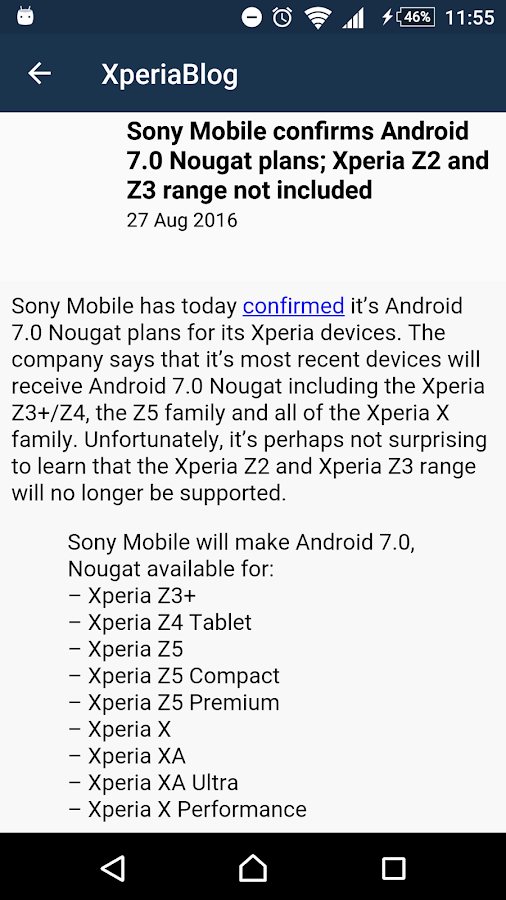
Screenshots:



Download: Click here !

I'm Noel Macwan, An 18 years old developer Currently living in Gujarat, India.


/* #include <std_disclaimer.h>
*
*  Your phone's warranty is now void.
*  This is a custom ROM developed by Warrior1208.
*  You are flashing this on your Samsung Galaxy SII(Intl) at your own peril.
*  I am not responsible for hard bricks, damages to SD Cards, thermonuclear war,
*  or you getting fired because the alarm app failed.
*  I would definitely help you out if you are stuck somewhere, provided that you give
*  me clear details of the mishap.
*  Don't ask for ETA's cause there is a thing called "LIFE" outside XDA.
*/

Make sure its unlocked bootloaderDownloads:
Copy ROM to device
Power off your device
get boot.img from zip
Connect into fastboot mode (USB + Vol +)
FlashTool> Flash> Fastboot mode > Select kernel to flash
and browse the kernel See log , if its succesfully flashed , unplug device
and boot to recovery via pressing vol + key
Wipe Cache and Data
and ROM and Gapps than
Reboot
Regards
Noel Macwan
Make sure its unlocked bootloaderDownloads:
Copy ROM to device
Power off your device
get boot.img from zip
Connect into fastboot mode (USB + Vol +)
FlashTool> Flash> Fastboot mode > Select kernel to flash
and browse the kernel See log , if its succesfully flashed , unplug device
and boot to recovery via pressing vol + key
Wipe Cache and Data
and ROM and Gapps than
Reboot
Regards
Noel Macwan
Make sure its unlocked bootloaderDownloads:
Copy ROM to device
Power off your device
get boot.img from zip
Connect into fastboot mode (USB + Vol +)
FlashTool> Flash> Fastboot mode > Select kernel to flash
and browse the kernel See log , if its succesfully flashed , unplug device
and boot to recovery via pressing vol + key
Wipe Cache and Data
and ROM and Gapps than
Reboot
Regards
Noel Macwan
Make sure its unlocked bootloaderDownloads:
Copy ROM to device
Power off your device
get boot.img from zip
Connect into fastboot mode (USB + Vol +)
FlashTool> Flash> Fastboot mode > Select kernel to flash
and browse the kernel See log , if its succesfully flashed , unplug device
and boot to recovery via pressing vol + key
Wipe Cache and Data
and ROM and Gapps than
Reboot
Regards
Noel Macwan


